Add Global Messenger to Your Superblocks App
Enable app-wide instant messaging in your Superblocks application. The Weavy Messenger component provides a global chat platform that's accessible throughout your app, making it perfect for company-wide communication and support.
Prerequisites
You will need:
- A Superblocks account with admin rights
- A Superblocks app with installed Weavy components (see Add to Your App)
Step 1: Add the Weavy Messenger Component
- Open the Add components panel in your Superblocks app editor
- Locate the Weavy Messenger component
- Drag it onto your page canvas
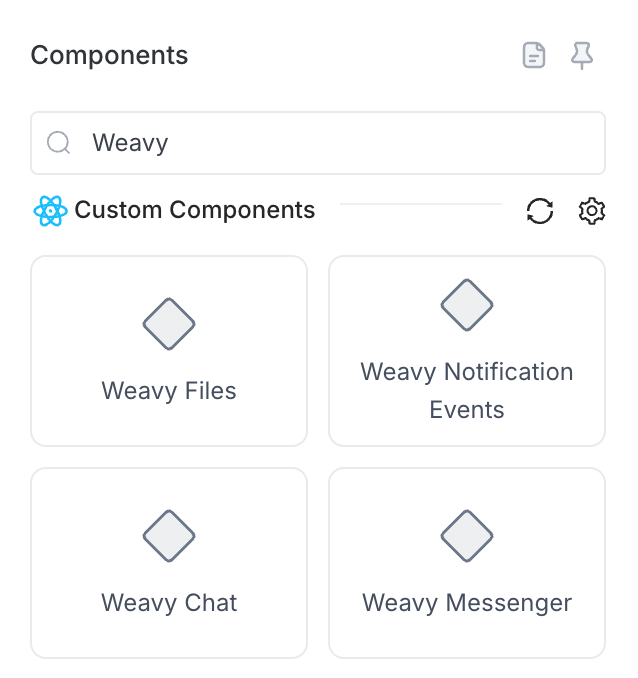
Tip: For better user experience, consider placing the Messenger in a Slideout component that can be accessed from your main navigation bar.
Step 2: Configure Messenger Properties
Select the Weavy Messenger component and configure:
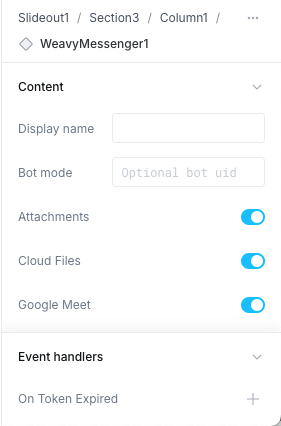
Display name (Optional, human-readable title):
Support Team
Event Handlers:
- On Token Expired
- Action: Run API
- API:
GetWeavyToken
Step 3: Done!
Your global messenger is now live and ready for use. Users can:
- Send and receive instant messages across your app
- Access the messenger from any page (if in navigation)
- Receive real-time notifications
- Communicate globally with other app users
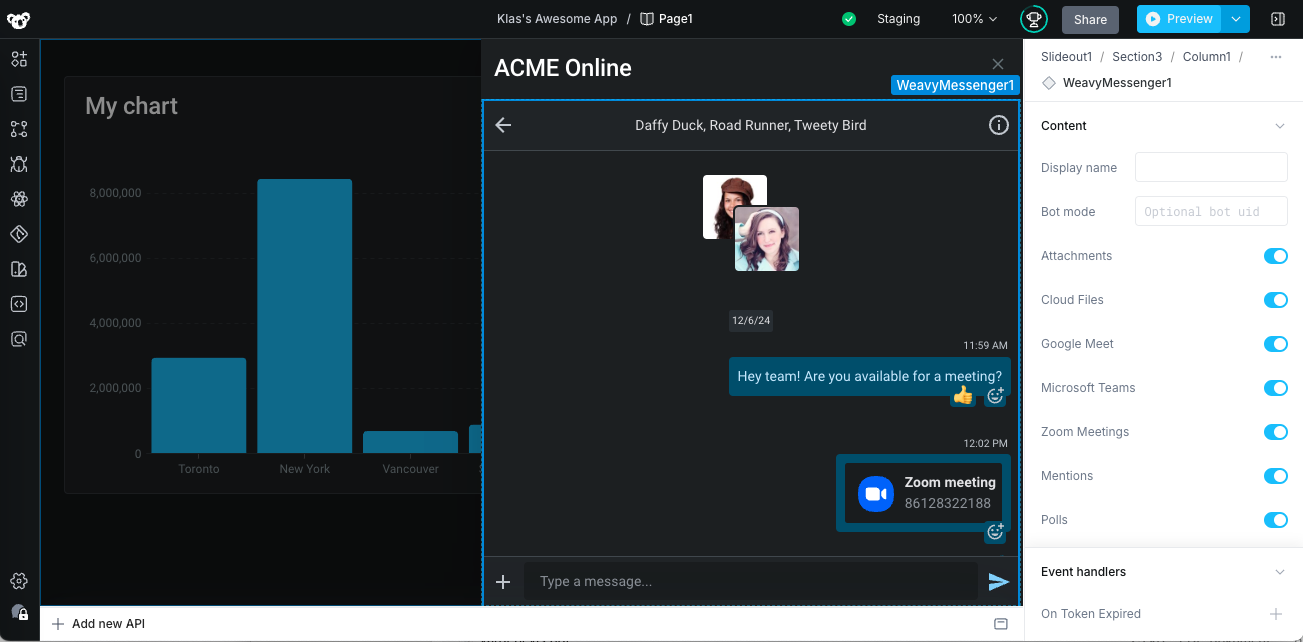
UX Best Practice: Place the Messenger component in a Slideout drawer in your navigation header for optimal accessibility and user experience.