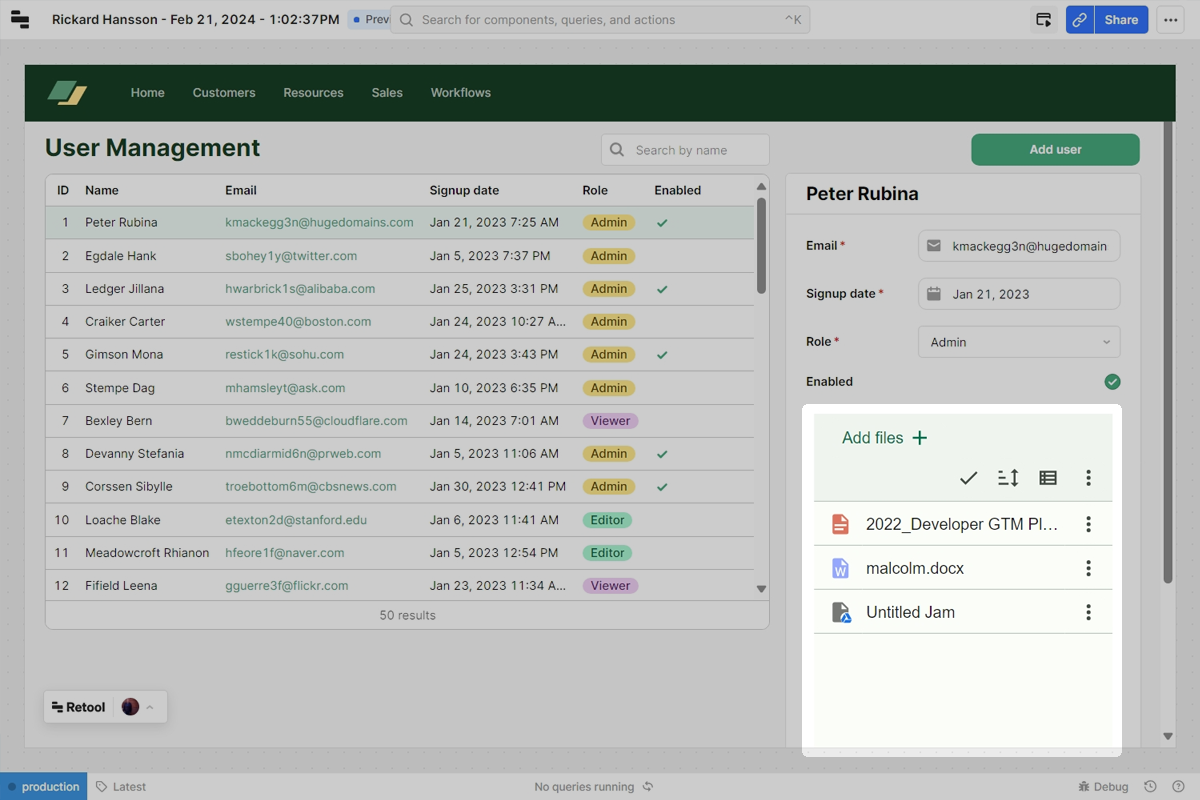
Add Google Drive to your Retool app
This tutorial will show how to add Google Drive support to your Retool app using our Files component. Have Retool ready and let's get started.
Prerequisites
You will need:
- A Weavy API key
- A Retool account
- Weavy components installed in your Retool account
1. Get access token
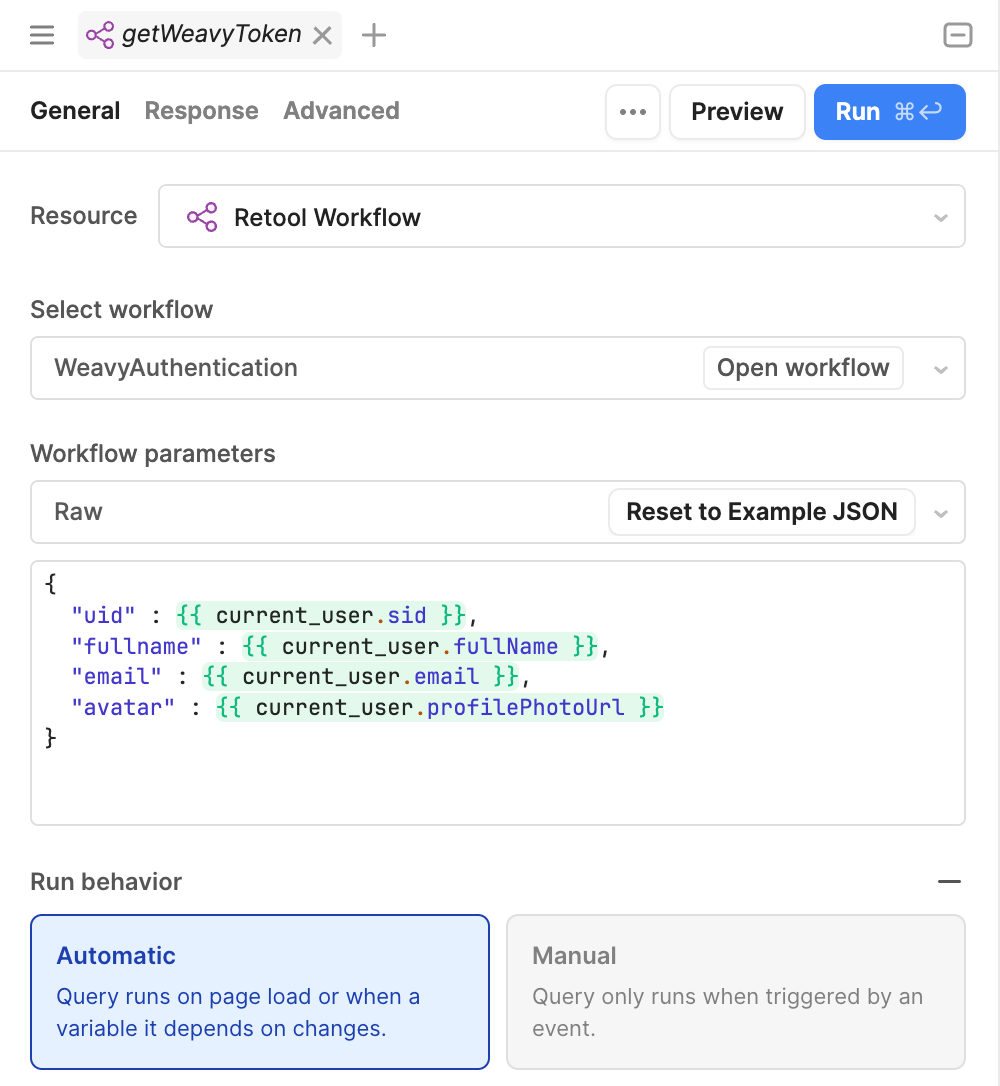
For our Weavy component to work, we need an access token from the authentication workflow.
Go to Code in the left panel, click the + and select Import Workflow
- Name it
getWeavyToken - Select
WeavyAuthenticationfrom the Select Workflow dropdown - Click the
Reset to Example JSONinWorkflow parameters - Change the
Run behaviortoAutomatic - Click
Save & Run - If successful, you should see an access token in the output window
Don't have the workflow? You need to import the workflow and install the Weavy components for this tutorial to work. Tutorial: Before you start adding Weavy
2. Add Weavy Files
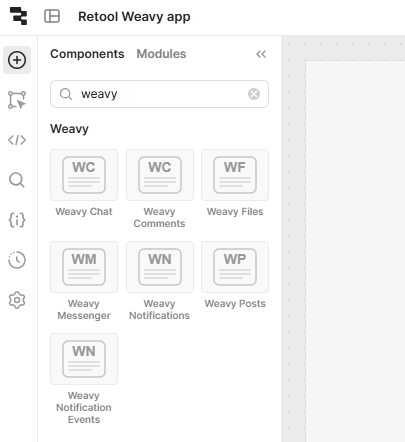
Search for Weavy Files in the components search bar, drag and drop it onto the canvas.
3. Done!
The Weavy Files component should load instantly - but toggle to Preview mode to see the full experience.
Note that this is fully working now and available for all your users if you want - Google Drive support added, just like that