Get Started with Superblocks and Weavy
Turn your Superblocks app into a collaborative powerhouse using Weavy. This tutorial walks you through creating a complete demo app with all Weavy components pre-installed and ready to use.
Prerequisites
You will need:
- A Weavy API key
- A Superblocks account with admin rights
- Git and Node.js installed
- Command line access
Step 1: Select Your Weavy API Key and Environment
First, you need an API key to communicate with the Weavy backend.
Log in to your Weavy account and select an environment from the available options (refine-dev, Retool Support, Feed demo, Weavy HQ, and more). Then select or generate an API key.
Note: You'll use this API key and backend URL throughout the tutorial.
Step 2: Create WeavyAPI REST Integration
Create a REST API integration in your Superblocks app:
- Name: WeavyAPI
- URL: Your Weavy backend URL
- Headers:
Authorization: Bearer YOUR_API_KEYContent-Type: application/json
Step 3: Clone the Superblocks Weavy Components Repository
Open your terminal and run:
git clone https://github.com/weavy-labs/superblocks-weavy-components.git
cd superblocks-weavy-components
Step 4: Install Dependencies
Install the required npm packages:
npm install
Step 5: Authenticate with Superblocks
Log in to Superblocks using the CLI:
npx superblocks login
This will open a browser window to authenticate you with your Superblocks account.
Step 6: Create the Demo App
Run the demo setup script:
npm run create:demo
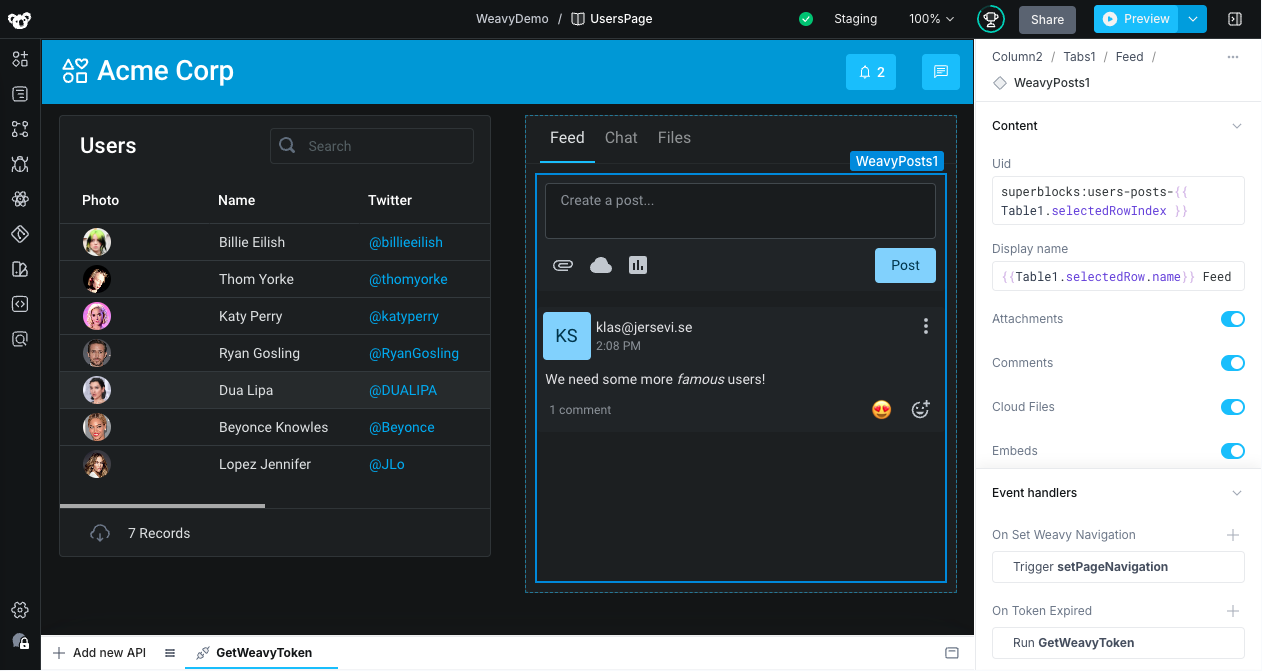
This command automatically:
- Creates a
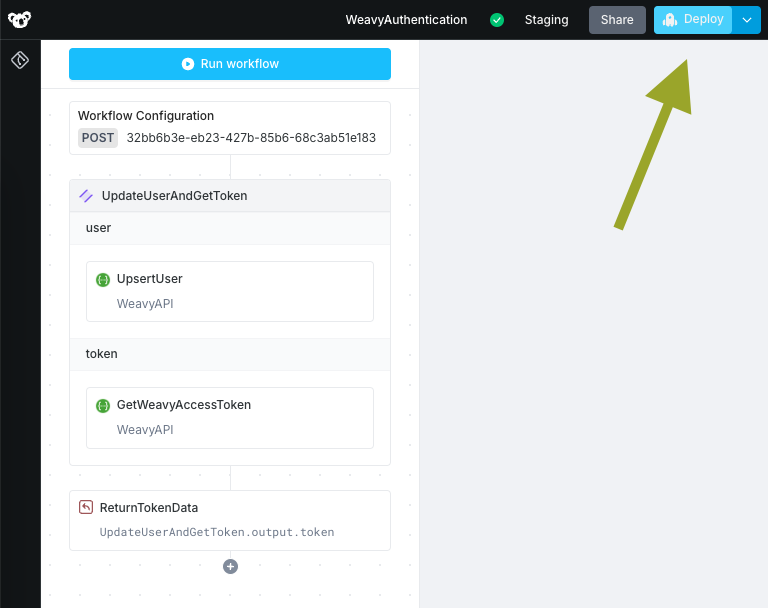
WeavyAuthenticationworkflow - Creates a
WeavyPageNavigationworkflow - Creates a
WeavyDemoapp with all Weavy components pre-installed - Configures everything for immediate use
After running this command, you'll need to deploy the workflows in Superblocks for them to become active.
Step 7: Done!
Your demo app is now complete and fully functional. You can access it at the generated URL and see all Weavy components in action:
- Messenger
- Notifications
- Comments
- Files
- Chat
All components are ready to use immediately!
Tip: Share the demo URL with your team to collaborate in real-time using Weavy's built-in collaboration features.